
GST or non-GST billing
Enable GST billing when appropriate for the business and keep the setting visible during setup.
Create configurable restaurant bills with GST settings inside the same POS workflow used for menu items, quantities, tables and payments.
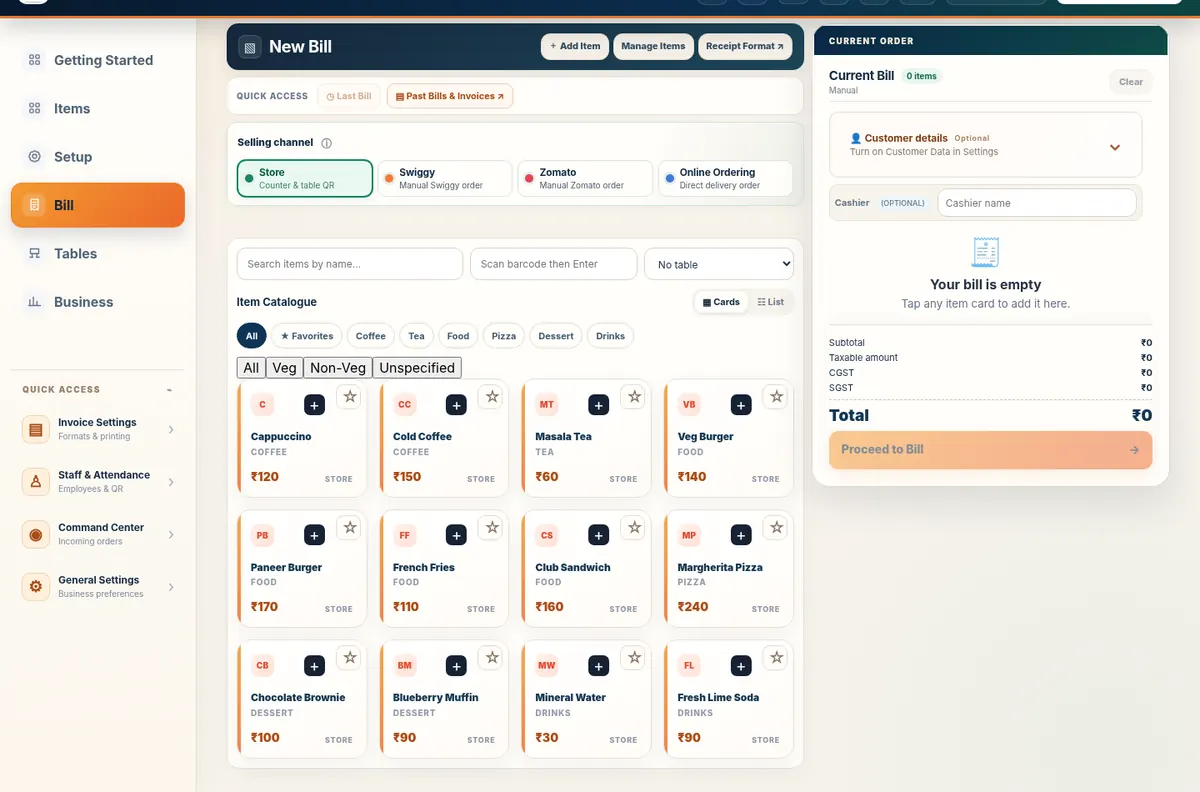
Free Restaurant Billing lets a restaurant configure GST-related billing fields and then review the calculated tax on the bill before settlement. The application supports tax-inclusive or tax-exclusive pricing and can display CGST/SGST or interstate IGST based on the settings you choose.
Enable GST billing when appropriate for the business and keep the setting visible during setup.
Use inclusive prices when your menu displays a customer-facing total and you need the tax component calculated from it.
Configure the billing mode and business-state information needed for the invoice workflow you use.
Use the standalone calculator to model a taxable amount or work backwards from a GST-inclusive total. The calculator offers common selectable rates, but you choose the rate and remain responsible for confirming that it applies to your transaction.
Open Restaurant GST Calculator →The important part is not only the tax calculation. A restaurant also needs the right menu item, quantity, table/order context, payment method and final customer bill to agree. That is why the GST feature is connected to the same billing workspace rather than being a separate tax-only utility.
Create your restaurant account, add or preload a menu, review your rates and start billing. Core billing has no trial clock or billing limit.