Restaurant & Dining
Dine-in tables, billing and kitchen coordination
Create GST bills, manage menus, send KOTs to the kitchen, manage tables and take QR orders. Built for restaurants, cafés, QSRs, bakeries and cloud kitchens.
Core billing free forever · No bill-count limit · No credit card required
See exactly what is free and what is optional →
Explore the restaurant journey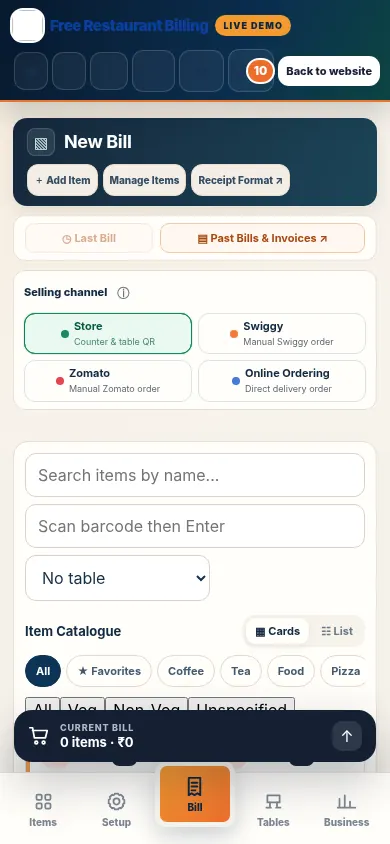
No trial clock on core billing, no bill-count limit and no credit card required. New free-plan accounts use one active device after any introductory connected-services trial ends.
From a two-table café to a busy QSR counter, find the billing and order workflows that fit your service model.
Dine-in tables, billing and kitchen coordination
Counter orders, drinks and café menus
Fast counter billing and preparation queues
Pizza menu, sides and pickup orders
Direct orders, kitchen and delivery handovers
Pastries, savouries and ingredient purchases
Simple meals, quick billing and daily sales
Sweets, beverages and quick service
Compact mobile-friendly counter billing
Create real items, categories, prices and applicable GST settings.
Take counter, Table QR or captain orders when configured.
Follow accepted food orders in the kitchen display workflow.
Review the table or order, taxes, discounts and final bill.
Record the supported payment and complete the order.
Choose a step to explore existing Free Restaurant Billing demo screens. The tour is illustrative — it does not place orders.
Configure food items, categories and your own selling rates in the normal editable catalogue.
Explore restaurant billingProduct screenshots are from demonstration environments. KDS screenshots may show an empty state. Connected workflows depend on configuration. Read the complete workflow.
Let guests scan a table QR to browse a menu. Self-ordering and menu-only setups depend on configuration.
Authorized staff select tables and submit orders using the restaurant menu and PIN-based access.
Track accepted food tickets through preparation where kitchen routing is configured.
Manage supported customer pickup or delivery requests through the business order flow.
Keep food items, supplier purchases and stock-related records together.
Configure applicable tax details and review invoices before issuing them.
Availability and setup depend on the production release and merchant configuration. Free core billing is available separately.
Practical tools for planning real restaurant work, with no sign-in required. These standalone website tools do not change your billing catalogue.
Choose dishes for a café, pizzeria, restaurant or QSR, enter optional selling rates and export a CSV for review.
Plan a menuReview kitchen readiness, payment options, table service, delivery handovers and backup responsibility.
Open checklistUnderstand seated table service versus pickup or delivery with a complete kitchen-to-handover checklist.
Compare workflowsRestaurant menu setup guide · रेस्टोरेंट का मेन्यू कैसे बनाएं
Use the same restaurant billing foundation across dine-in, counter service, takeaway and delivery-focused food businesses.
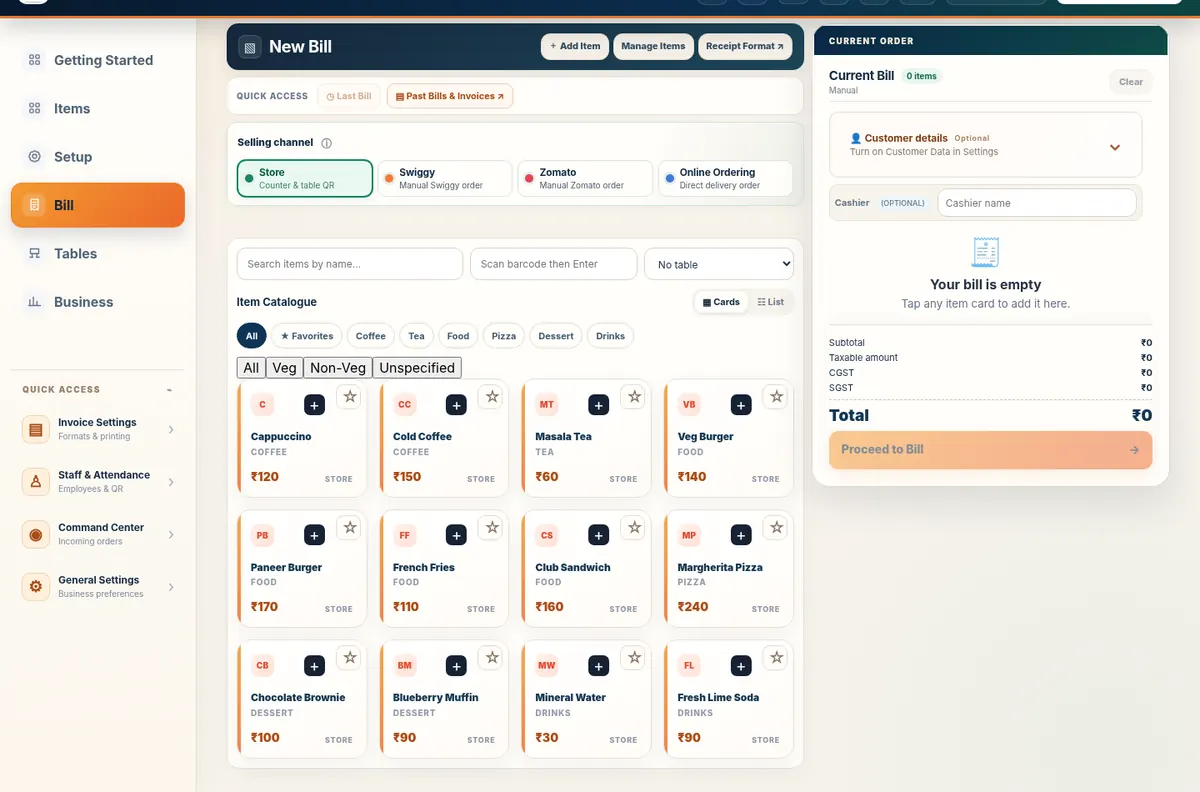
See the actual Free Restaurant Billing billing workspace: add items, switch selling channels, manage your current bill and review GST and totals in one clear view.
Start with fast restaurant billing and add the operational tools your food business needs as it grows.
Prepare GST and non-GST invoices, review item taxes and collect cash or UPI payments from a browser-based billing workspace.
Explore GST & Non-GST Billing →Keep your item catalogue, selling prices and stock information organised alongside billing and purchases.
Explore Inventory Management →Record purchases with a familiar basket, default buying prices, purchase taxes and supplier details.
Explore Purchase Management →Keep supplier contact details connected to purchase records without maintaining a separate spreadsheet.
Explore Supplier Management →Maintain staff records, define team roles and generate individual employee QR badges.
Explore Staff Management →Use scannable staff QR badges for check-in, check-out and attendance reporting.
Explore QR Staff Attendance →Let customers scan a QR code to browse your menu and place an order from their own phone.
Explore QR Ordering →Track food-preparation tickets in a digital kitchen workflow connected to supported orders.
Explore Kitchen Display System →Connect a business menu to Table QR Ordering for supported customer pickup and delivery order journeys.
Explore Table QR Ordering Online Ordering →Maintain a customer list and find customer details during billing to reduce repeated entry.
Explore Customer Management →Choose a printable invoice look from five designs while keeping the same billing and tax calculations.
Explore Invoice Templates →Review daily sales, transaction history and supported business reports from the same workspace used for billing.
Explore Sales Reporting →Keep informed about data backups and your available options for protecting records.
Explore Cloud Backup Available →Follow the flow of goods, customer orders and staff activity without separate paper handovers.
Use Free Restaurant Billing in English, Hindi and 10 Indian regional language options. Follow a simple how-to guide in your preferred language. Some app labels may still appear in English.
Make your first bill in three clear steps.
Set up your business details and relevant billing configuration.
Start with editable example items or an empty catalogue, then adjust products and prices.
Make a test bill, review details and begin day-to-day operations.
Core billing and business management are free. Cloud Backup Available.
Yes. Configure your business GST details and applicable item tax settings before issuing GST invoices.
Yes. The web application offers a mobile-friendly interface in supported browsers.
Yes. Download and safely store your business data regularly, especially when using one main billing device.
Yes. It supports table and storefront on-site QR ordering, subject to proper restaurant configuration.
Yes. You can record purchases, maintain supplier records and organise stock.
Yes. Staff QR badges and attendance scanning are included in the app.
Start restaurant billing in minutes and keep your counter, kitchen and tables connected with Free Restaurant Billing.
Start Free Billing →Use free restaurant tools for GST calculations, food costing and printable invoices without creating an account.
Restaurant owners often search by the problem in front of them: receipt width, thermal printing, weak internet or a low-cost phone/tablet. Use our setup guides to test the real device/browser/printer workflow instead of relying on generic compatibility claims.
Choose a receipt width and test browser printing before buying hardware.
Understand what stays local, what needs internet and what to test before a busy shift.
Connect the billing intent to the kitchen workflow without mixing it into the homepage keyword target.