
Enable applicable online ordering settings and publish the supported menu.
Free Restaurant Billing · Online Ordering
Online Food Ordering with Table QR Ordering Integration
Connect a business menu to Table QR Ordering for supported customer pickup and delivery order journeys.
Online orders · Illustrated journey
Table QR Ordering brings the customer closer
Online customers place pickup or delivery orders; the merchant manages them using the configured workflow.
What this solves
A simpler way to manage online ordering
Customers increasingly want to browse a menu and prepare an order before reaching a counter or requesting delivery.
Table QR Ordering supports online menu discovery and applicable pickup or delivery journeys. Businesses manage incoming orders through their existing order and billing processes. Signed-in customers can save contact and address details for their future checkouts.
- Customer-facing ordering experience
- Pickup and delivery flows where enabled
- Order status tracking
- Saved customer details with sign-in
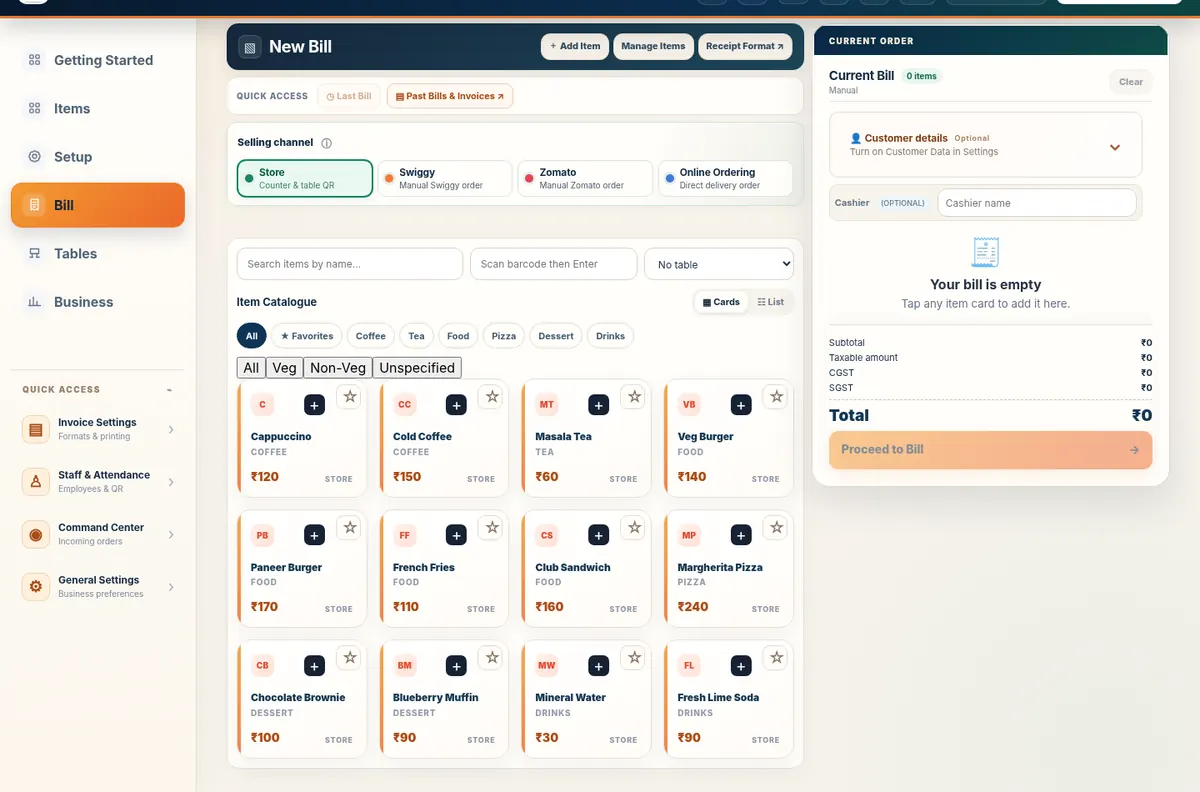
Real application capture using demo/sample data; your workspace may differ.
Product proof, not mockups
See what the actual application looks like
These are captured screens from the Free Restaurant Billing and Table QR Ordering application demos. They are separate from the decorative illustrations.
Your next steps
How it works
Customers browse the menu and choose pickup or delivery where available.
The business processes orders and updates fulfilment through its existing controls.
Straight answers
Frequently asked questions
Is Table QR Ordering separate from business billing?
Table QR Ordering is the customer-facing ordering experience; Free Restaurant Billing supports the merchant workflow.
Can customers save their address?
Signed-in Table QR Ordering customers can save profile and address information.
Make your workday simpler
Explore Online Ordering and the other tools in Free Restaurant Billing.
Start Free BillingFrom Table QR Ordering to business handover
The customer request moves to business review, preparation and supported pickup or delivery handover. Connected steps require network access and appropriate setup.