Local-First Restaurant Billing and Data Handling
Core merchant records stay close to the business, while connected workflows use cloud data only where a customer and merchant need to communicate.
See the billing workspace in action
The visual uses actual Free Restaurant Billing screens with demonstration data. Explore the interface first-hand before setting up your own products and business details.
Try the live demo →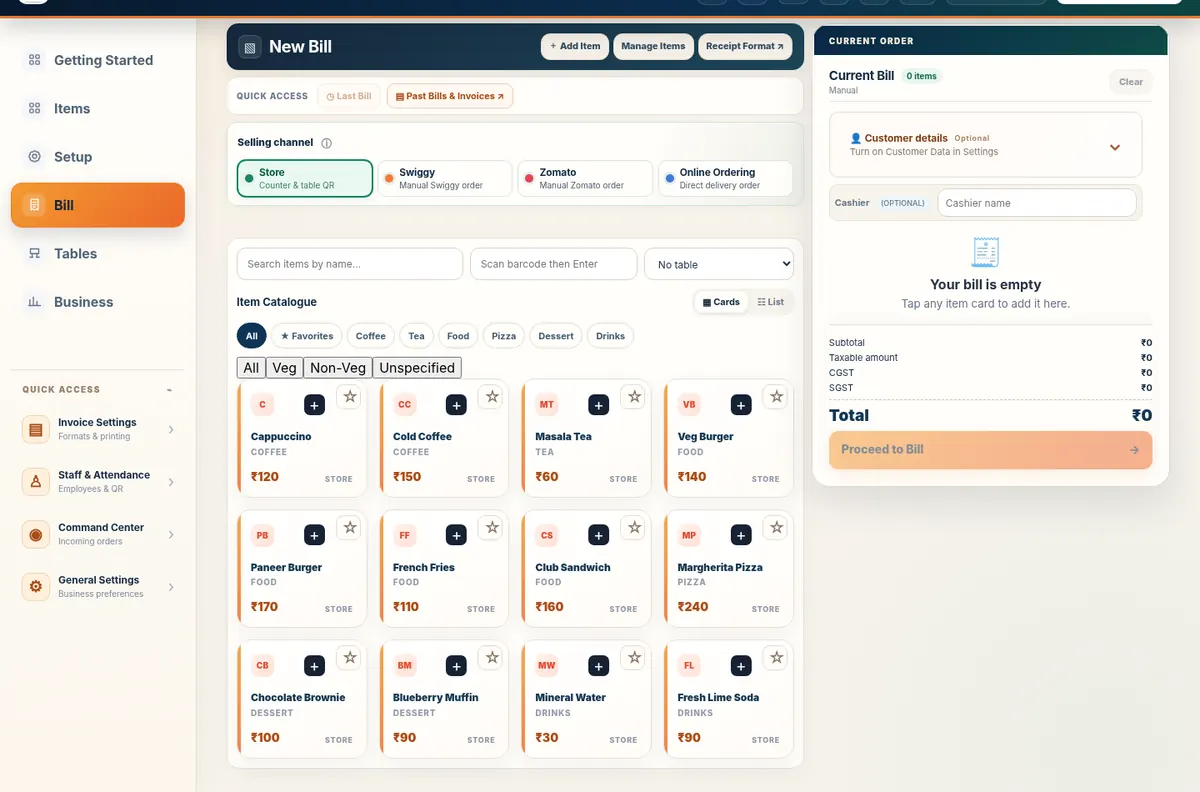
What stays on the merchant device
Core catalogue, billing preferences and business records are designed to use browser or device storage. This keeps the counter responsive and reduces dependence on continuous internet.
What uses cloud services
Google sign-in identifies the merchant account. QR orders, direct orders, booking queues and other connected experiences store the data required to deliver that workflow between customer and business. Free Restaurant Billing also sends limited business-level daily usage aggregates such as active days, bills completed, aggregate billed value, catalogue size and feature-use counts so the product can be operated and improved without uploading individual invoice or customer records.
What analytics does not upload
Product analytics does not upload customer names, phone numbers, individual invoice contents, individual bill records, individual QR basket contents, payment account details or customer order notes. Offline billing continues independently of analytics; when connectivity returns, only the daily aggregate usage summary is synchronised.
Temporary queue and expiry behaviour
Connected order and booking data should be treated as operational queue data, not a permanent accounting archive. The business should complete, reject or archive requests according to its workflow.
Offline behaviour
Existing local billing can continue when connectivity is weak. Login, account switching, new customer orders, bookings and cloud synchronisation require internet.
Backup and export responsibility
The merchant should export important invoices, catalogues and archives regularly. Browser storage is not a substitute for a formal backup.
If browser or device storage is removed
Clearing site data, resetting the browser, uninstalling a PWA profile or losing the device may remove locally stored information. Export before maintenance or device migration.
Support
Questions can be sent to support@freerestaurantbilling.com.
Verify our claims and learn from real workflows
Trust and data handling
How local billing and connected services actually work
Explore product workflows
Demo checks for bills, stock and Udhaar
Daily billing checklist
Counter closing, reconciliation and backups
GST invoice checklist
Invoice fields, split tax and examples